
Choose and Pilot an AI Workflow
Choose the Setup That Deserves a Pilot
Your Bottleneck Brief already shows where the process gets stuck and defines the boundary of what AI could handle and what stays human. Now you need to decide how that work should run and test your pilot automation. At this stage, you also need to choose among the available AI tools and figure out how to execute your task with minimal effort.
In this lesson, you'll compare practical tool setups, choose the simplest one that fits, and test the complete workflow.
To choose the best setup, carry forward the workflow diagnosis from Lesson 2 and the two key choices from Lesson 1: the automation layer and flow. They help you to identify the best tool and the relevant features for your specific task.
The automation choices
- Automation layer: AI handles part of the work, or AI handles the whole process
- Automation flow: fixed when approved steps repeat, agentic when the next permitted step changes based on what AI finds, or human-led.

Decide How Tools Should Work
The first decision is choosing the right tool for your setup. AI tools can support business work in several ways:
| AI tool | Capabilities |
|---|---|
| General AI assistants | Analyze information, compare options, draft content, and support different task types |
| AI built into business software | Work with the records, projects, messages, or reports already stored in the software you use |
| Specialist AI tools | Perform one focused task, such as document extraction, meeting transcription, or data analysis |
| Connected or agentic AI systems | Use approved sources to complete multistep work or take permitted actions within clear limits |
A tool may fit more than one type. Focus on the capabilities, context, and controls your workflow needs. For example, general assistants usually carry many capabilities and can combine the elements of built-in business software and agentic systems.
Choose the Tool Arrangement
Once you know which capabilities you need for the task, choose the simplest arrangement that can produce a checkable result. A lighter setup is easier to test, monitor, and change.
1. One tool for one task: A tool completes one focused task, then returns the result.
For example: A document extraction tool reads invoice fields and returns structured data for review.
2. One tool for the flow: One system completes the approved steps from the trigger to a checkable result.
For example: AI in a support workspace classifies incoming requests, drafts standard responses, and routes exceptions to a person.
3. One primary tool with connections: One AI system coordinates the work while using approved information or actions from connected systems.
For example: An AI assistant retrieves approved sales and project data from connected external sources, checks it, and prepares a weekly report.
4. A controlled multi-tool handoff: A specialist tool completes one part and passes a structured result to another system.
For example: A transcription tool converts a meeting into text, then an AI assistant summarizes the decisions and action items.

Before choosing the pilot setup, compare how well each tool arrangement fits the delegated work. Look for the arrangement that provides the required capability and context with the least unnecessary cost, rework, access, and coordination.
Choose the Tool Arrangement
Choose the more efficient tool arrangement.

Only invoice-field extraction is delegated. Matching and payment approval remain in the existing finance process.
Efficient Arrangement and Its Trigger
The efficient arrangement depends on the task boundary and available evidence. One tool is usually stronger when it meets the complete need. Use a connection when the context you need lives across several systems. Add a specialist when it brings a distinct capability that improves the result enough to justify the extra cost and handoff.
Then choose the trigger that starts the workflow:
- On demand: A person starts an occasional task when needed.
- Scheduled: The workflow starts at an approved time, such as every Monday.
- Event triggered: A defined event starts it, such as a new request arriving.
Confirm that the selected setup supports the trigger. Scheduled and event-triggered work still needs monitoring, exceptions, and a stop path even when nobody starts each run manually.
You now have a possible tool arrangement and trigger. Next, check whether the setup already has the information and actions it needs, or whether it requires a controlled connection.
External Connections
Business context is often spread across project tools, customer records, cloud storage, reports, and other systems. A controlled connection can let one primary AI tool use the necessary context without requiring people to search for and copy information manually. It can speed up everyday, scheduled, and recurring work without adding another overlapping AI subscription.
Some AI systems can use approved connections to external services to reach business context. Many of these connectors are based on Model Context Protocol, or MCP.
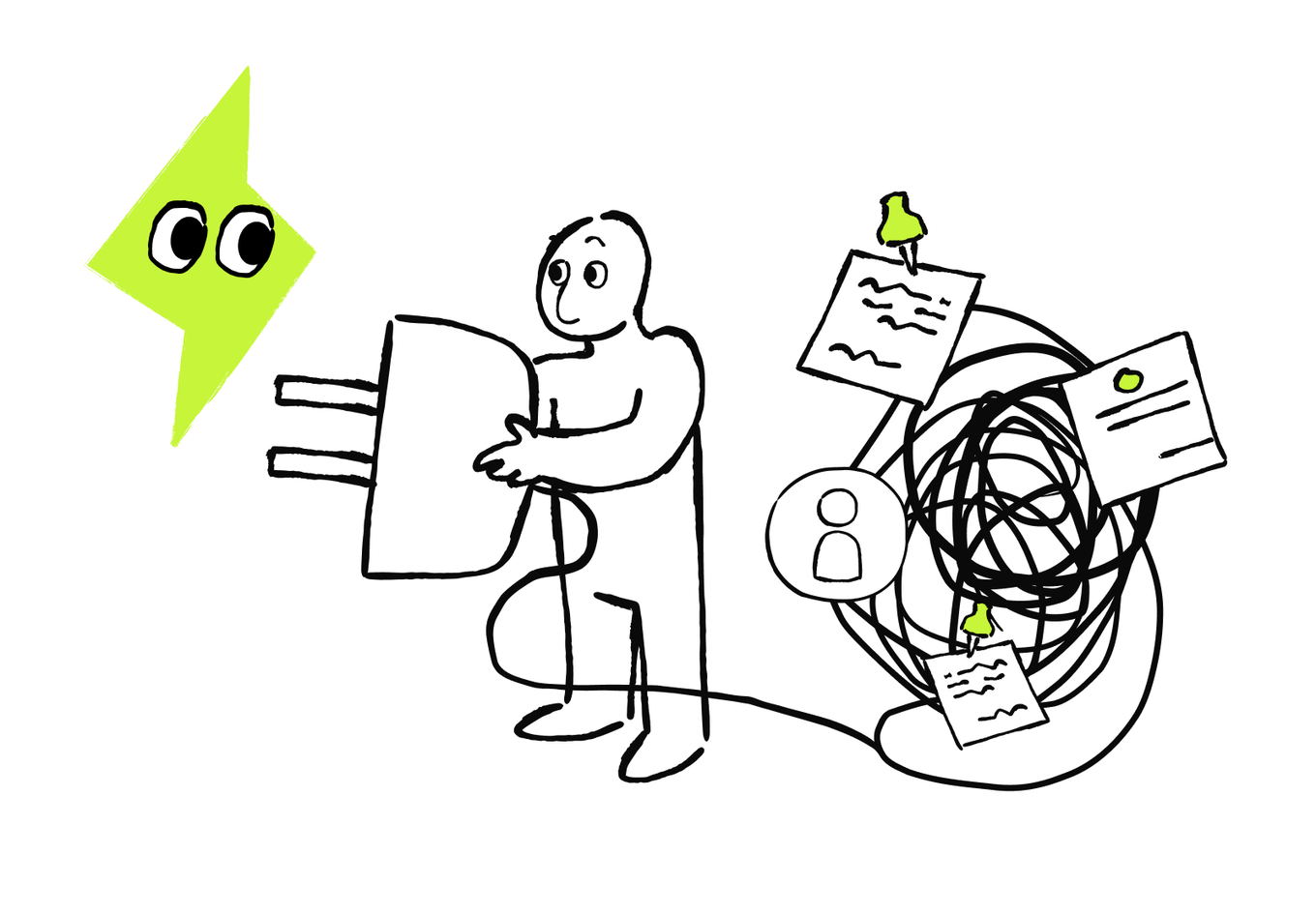
When no suitable preset connector exists, you can create a custom MCP server for approved information or actions. MCP doesn't decide what AI should access or what authority it should have. You still define those boundaries.
The goal is to give the selected workflow access only to the information or actions needed to produce the result.
Therefore, before adding a connection, identify:
- What information or action the workflow needs
- Which system contains this information
- Whether AI only needs to read information or also perform an action
- What the workflow should do if the connection fails or the information is unavailable
Before testing the workflow, confirm that each connection closes a necessary context gap without expanding access further than the task requires. The strongest first setup usually provides enough context with the fewest new tools, permissions, and handoffs.
When your current AI tool can perform the task but lacks context stored elsewhere, first test whether limited, approved connections can close the gap. Add another AI tool only when the current one lacks a necessary capability.
Customer requests arrive in one system, while customer records and approved response rules are stored in two others. The current AI tool can connect to both. What's the simplest suitable setup?
A connection is useful only when it closes a necessary context or action gap. Once you know whether a connection is needed, compare the complete setups using the same business requirements.
Compare Setups Across Common Business Tasks
You can complete the same task with different delegation setups, but not all of them are equally efficient for your business. Before choosing the setup, compare them to make sure you’re committing to the most suitable one. To compare the setups, check the actual data, capabilities, permissions, quality, and cost in your business.
Several setups may be able to complete the same task. The most efficient current setup and flow produces acceptable results with the lowest total effort and cost while meeting every required quality and control condition.
An accepted result is a result that:
- Reaches the workflow's completion point
- Meets the required quality level
- Uses only approved information and actions
- Passes the necessary human checks
- Can move forward without correction
Check these examples to see suitable setups for the most common business tasks:
| Recurring task | Tool setup and useful capabilities | Automation layer | Flow and trigger | Human control |
|---|---|---|---|---|
| Weekly project update | AI in the current project tool; approved project access, status extraction, and summarization | Assistance | Fixed; weekly schedule | Verify blockers and approve the update |
| Monthly performance report | Analytics AI or one AI tool connected to an approved dashboard; querying, anomaly detection, and explanation | Selected step | Fixed; monthly schedule | Confirm definitions and investigate major anomalies |
| Handling incoming requests | Current work system with AI or one connected AI tool; classification, context lookup, and routing | Selected step or bounded | Fixed for complete requests; agentic for permitted follow-up; event triggered | Review sensitive or unclear cases |
| Meeting follow-up | One AI tool connected to meeting notes and the work system; decision extraction and task preparation | Assistance or selected step | Fixed; after-meeting event | Confirm decisions, owners, and dates |
How to Compare
Compare every setup and flow using the same cases, expected volume, completion point, and quality requirements.
Step 1: Apply the requirements that can’t be traded for greater speed or lower cost. A setup is a valid candidate if it can use the required context, maintain the necessary quality, respect permissions, preserve human decisions, or stop safely when something goes wrong.
Step 2: Once the remaining setups pass these requirements, compare their efficiency. You can use the following criteria:
| Criterion | What to measure |
|---|---|
| Accepted result rate | How many cases meet the completion and quality requirements without correction |
| Human effort | Time spent preparing inputs, reviewing results, correcting errors, handling exceptions, and recovering failures |
| End-to-end time | Time from the workflow trigger to an accepted result, including waits, retries, and handoffs |
| Total cost per accepted result | Tool and connection costs plus human work, setup, maintenance, retries, and recovery |
| Reliability | Whether the setup works consistently across repeated normal, corner, and deliberately invalid cases |
| Operating burden | How many tools, connections, handoffs, and owners need monitoring and maintenance |
A fast AI response can still belong to a slow workflow. Preparation, waiting, reviewing, correcting, and recovering are part of the comparison too.
To calculate the cost per accepted result, divide the total workflow cost by the number of results that meet the required standard.
When one setup meets the requirements and performs well, it becomes the candidate for your pilot. The next step is to define how you’ll test it safely.
Build a Pilot That Tests Success, Failure, and Corner Cases
After you’ve chosen the setup that best fits your task, turn that choice into a controlled pilot that shows whether the workflow produces acceptable results and handles difficult cases safely.
Before running the pilot, run a final check. Test whether the proposed setup can operate reliably.
Check:
- Capability: Can it perform the required task at an acceptable quality?
- Context: Can it use the approved, current information it needs?
- Handoffs: What happens if a connector or another tool fails?
- Control: Can people check, stop, reverse, or escalate its work?
- Workload: Does it reduce work, or move too much checking to someone else?
- Cost: Does another tool create enough value to justify its subscription and oversight?
When you’re sure that the setup should work effectively for your case — you’re ready to run a pilot delegation from trigger to the final output. While running a pilot, test various cases.

Build the Case Mix
Build a case mix that shows whether the workflow succeeds or fails safely:
- Normal success cases: Everyday inputs the workflow should complete correctly. For incoming-request handling, a normal case could contain a clear topic and complete details.
- Corner cases: Valid but unusual, incomplete, or conflicting inputs. A corner case could fit two categories or lack one required field.
- Deliberately invalid cases and exclusions: Test inputs the workflow should reject, pause, or escalate. A deliberately invalid case could ask the workflow to skip an approval or use data outside its permission.
Run several cases of each type and compare them with the same criteria. For an agentic flow, inspect its actions, retries, pauses, and escalations — not only the final output.
Define the Pilot Rules
Before you run it, make the essential decisions for a safe pilot. You need to decide:
- What result you’re testing
- What’s the workflow setup
- What baseline you’ll compare it with
- Who will review the results
- Which failure will stop the test
- How affected work will return to the previous reliable process
- What evidence defines the next steps.
To make sure that AI works as you intended, you can formalize your decisions and build a short AI Workflow Pilot Card — a short plan for one controlled test. It helps you track what works and what goes wrong, and where the workflow fails if it does.
You can use AI to build the Pilot Card. Throughout this course, you use prompts to turn your decisions into useful outputs. You can paste the information manually or attach the relevant files. If your AI tool supports trusted connectors, it can also retrieve information from approved files in cloud storage. Limit access to what the task needs and check the retrieved information before relying on the output.
With the setup, case mix, baseline, controls, and decision rules defined, you’re ready to run the pilot and judge the complete result.
Run And Judge the Pilot
To launch the pilot, make sure that you’re doing it in the safe order and can judge the complete result. The safe launch order prevents a promising setup from reaching live work before you check its controls. Speed matters only when quality, safe failure, handoff reliability, and human workload remain acceptable.
For example, the business launches the pilot, and the test produces the following results: incoming-request setup processes 30 normal cases, 10 corner cases, and 6 deliberately invalid cases using approved copies.
- It routes 28 of 30 normal cases correctly.
- It handles 9 of 10 corner cases correctly. Review catches the other one.
- It stops 5 of 6 invalid cases. No live action occurs.
- Average review time falls from 15 minutes to two.

What should the business do next?
How to Judge the Pilot
To decide what to do next, judge the pilot against the rules you stated in this lesson:
Stage 1: Check the rules that must never fail, such as approved access, required human review, stop and escalation rules, and make sure AI doesn’t take actions it isn’t allowed to take.
Stage 2: Compare time, workload, quality, and cost between the pilot and the baseline only after every required control works reliably.
A success is when the workflow behaves as expected — including pausing or escalating when required. A mistake is a wrong or incomplete result caught by a planned check before it moves forward. A critical failure includes unauthorized access or action, skipped human approval, a missed stop or escalation, or an inability to recover safely.
Any critical failure pauses the pilot. Correctable mistakes require action when they exceed the agreed limit or reveal a repeated problem.
If a mistake or critical failure occurs, pause the launch even if speed or accuracy improves, and fix the failed test. After making a fix, repeat the complete case mix.
Put the Pilot Stages in Order
Arrange the stages from preparation to decision.
- Test normal, corner, and deliberately invalid cases using approved historical or safe material
- Run a narrow monitored live test only after the safe tests pass
- Compare the complete result with the baseline and pre-agreed decision rules
- Confirm the scope, owner, permission, baseline, measures, stop rule, and rollback

Choose What Happens Next
After testing the pilot, you can choose between the following next steps:
- Go forward when setup passes the required controls and quality thresholds across normal, corner, and invalid cases. You’re ready for launch.
- Fix a targeted step and retest if a mistake or failure has a clear cause, and the stop rule worked. Make the targeted fix, then repeat the complete case mix.
- Change the setup and restart when mistakes or failures repeat because the tool lacks a capability or context, a connection or handoff is unreliable, the flow doesn’t fit the work, or human checking remains too high.
- Stop if the workflow can’t stay within its permissions, fail safely, or produce enough value to justify its risk, cost, and maintenance.
One isolated issue doesn’t always make the setup unsuitable. Change it when the problem is structural or remains after a targeted fix.
The Workflow Setup Checklist
Use this checklist when testing the workflow, and again if the setup changes after the first test.
| Decision | Check |
|---|---|
| Task and result | Is the task bounded, and is "done" checkable? |
| Automation layer | Will AI assist, own selected steps, or run a bounded flow? |
| Execution flow | Does the existing fixed or agentic choice still fit? |
| Tool arrangement | Is one tool enough, or is a connection or handoff justified? |
| Capabilities | Can the setup use the inputs, produce the output, and perform only approved actions? |
| Connection | Are built-in access, files, a connector, or MCP needed, trusted, and limited? |
| Trigger | Will the flow start on demand, on a schedule, or after an event? |
| Control | Who reviews, handles exceptions, monitors handoffs, stops, and rolls back? |
| Cost | Does every paid tool add distinct, measured value? |
| Proof | Did the pilot pass normal, corner, invalid, and exclusion checks? |
Run the test once again after implementing the fixes. As soon as every case worked out as planned — you’re ready for the actual launch. The final lesson of this course will help you scale the workflow, monitor its health, and repair, replace, pause, or retire it when conditions change.
Next · Lesson 4